
How to Find Your Best Posting Time on YouTube Using Your Own Data
Key Takeaways
- 1
Your channel's best posting time is not a universal rule — it is a number you calculate from your own audience's watch patterns, not from generic advice.
- 2
Peak hour data from your YouTube Analytics (specifically the 'When your viewers are on YouTube' report) reveals the 2-3 hour window where your audience is most active and most likely to click.
- 3
Posting 30-60 minutes before your audience's peak activity window — not during it — gives the algorithm time to index and begin distributing your video before demand peaks.
- 4
Testing posting times in 4-week blocks and tracking Click-Through Rate (CTR) and Average View Duration (AVD) per slot gives you statistically meaningful data to lock in your optimal schedule.
Have you ever created a content yet you're not sure when to post it so your subscriber or audience get's to watch it? You did some research but still don't understand when or what, you r best posting time is.
Why "Best Time to Post" Advice Is Usually Wrong for Your Channel
Search for "best time to post on YouTube" and you will find dozens of articles confidently listing Tuesday at 2 p.m. or Thursday at 5 p.m. as universal answers. These numbers are aggregated across millions of channels in completely different niches, time zones, and audience demographics. They tell you nothing useful about your channel.
Your audience has a specific daily rhythm. A channel built for working professionals might see its strongest viewership during a lunch-hour commute. A channel targeting parents of young children might peak after school pickup. A gaming channel might explode at 10 p.m. on weekends. No industry benchmark captures that specificity — only your own data does.
The good news: YouTube Studio already records everything you need. The skill is knowing which numbers to pull, how to read them together, and how to act on what they tell you. This guide walks you through that process step by step.
Understand What "Posting Time" Actually Controls
Before diving into data, it helps to understand the mechanism. When you publish a video, YouTube immediately begins distributing it to a small seed audience — typically your existing subscribers and viewers with a strong watch history match. The algorithm then measures how that seed audience responds within the first 24 to 48 hours: do they click? Do they watch past the first 30 seconds? Do they finish the video?
If those early signals are strong, YouTube interprets the video as worth showing to a larger audience. If the seed group is small — because most of your subscribers are asleep or at work when you post — the early signal data is thin, and the algorithm has less evidence to act on. This is why posting time matters: it controls the size and quality of that initial audience, which in turn shapes how aggressively the algorithm distributes your content.
This also connects directly to your hook rate — the percentage of viewers who keep watching past the first 30 seconds of a video. A video published when your core audience is active will naturally generate a stronger hook rate because those viewers are primed and engaged, not stumbling across the video hours later with less intent. If you want to understand more about this metric, the article "Why Your YouTube Hook Rate Is Killing Your Reach" is a useful companion read.
Step 1 — Find Your Audience's Active Hours in YouTube Studio
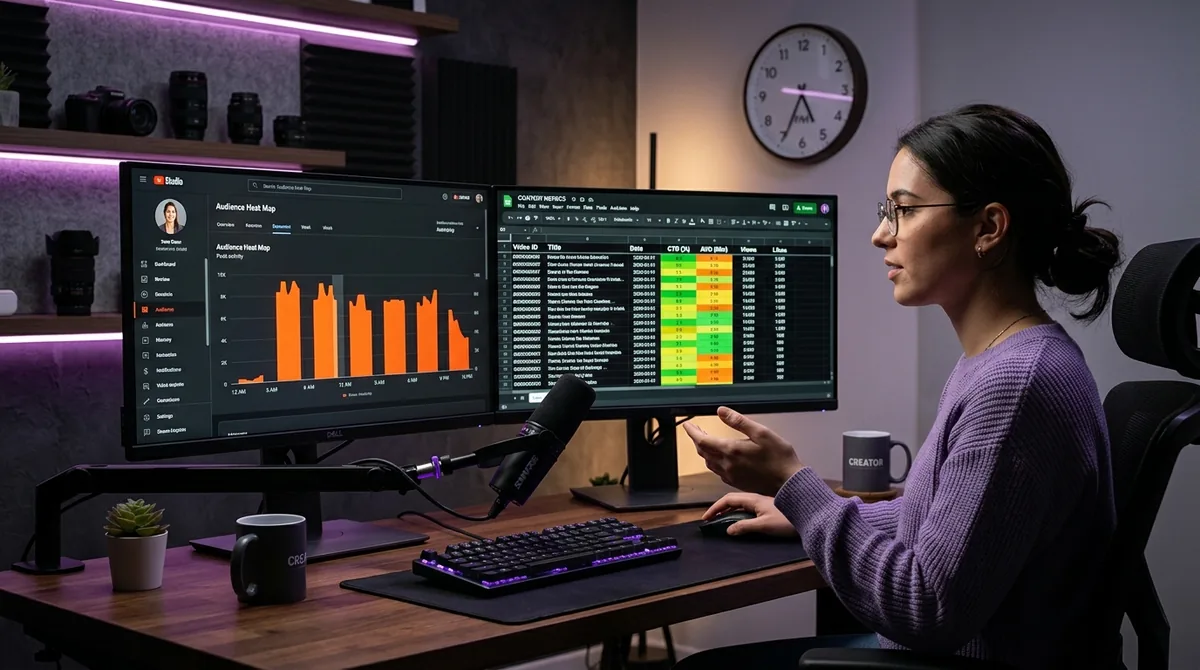
Open YouTube Studio and navigate to Analytics → Audience. Scroll down to the section labeled "When your viewers are on YouTube." This heatmap shows, hour by hour and day by day, when your existing subscribers and viewers are actively watching on the platform — not just when they are subscribed to your channel, but when they are actually online and consuming content.
Look for two things: the single brightest cell (your absolute peak hour) and the cluster of high-activity hours around it. Your target posting window is typically one to two hours before your peak. This gives the video time to be indexed, generate early clicks, and begin accumulating watch time before the largest wave of your audience arrives. Publishing at the exact peak is often slightly too late.
Screenshot this heatmap. You will cross-reference it with performance data in the next step.
Step 2 — Pull Your Historical Video Performance by Upload Time
Go to Analytics → Content and export your video data, or review it manually. For each video, note the publish time and then check its 48-hour view count and CTR (click-through rate — the percentage of people who saw your thumbnail and clicked on it). CTR is one of the clearest signals of early audience intent.
Group your videos into rough time buckets: early morning (6–9 a.m.), late morning (10 a.m.–noon), afternoon (noon–4 p.m.), evening (4–8 p.m.), and night (8 p.m. onward). Calculate the average 48-hour views and average CTR for each bucket. You are looking for the bucket where both numbers are consistently higher. That is your empirical best posting window — derived entirely from your channel's own track record.
If you want a deeper framework for turning this kind of systematic data review into a growth roadmap, "The 20-30 Video 'Data Feedback' Loop: How to Turn Your First Month of Uploads into a Growth Uploads into a Growth Roadmap" lays out a structured approach. Understanding "What is YouTube CTR and why does it control your channel's growth?" will also help you interpret what the CTR numbers in this exercise actually mean.
Step 3 — Separate Day-of-Week from Time-of-Day
Most creators conflate these two variables and draw conclusions that are actually caused by the wrong factor. A video that performed well on Saturday at 3 p.m. may have performed well because it was Saturday, not because of the 3 p.m. hour. Run your bucket analysis separately for weekdays and weekends. In many niches, the best weekday posting time is materially different from the best weekend time.
A practical shortcut: take the day-of-week with the highest average 48-hour views across your history, then within that day, find the time bucket with the best CTR. That combination is your primary target slot. Once you have tested it consistently across at least eight to ten uploads, you will have enough data to either confirm it or revise it.
Step 4 — Layer in Audience Retention Data
Audience retention refers to the percentage of a video's runtime that the average viewer watches before leaving. YouTube Studio shows this as a retention curve — a line graph that starts at 100% and drops as viewers exit. A steep early drop means your opening is not holding attention. A gradual slope means viewers are staying engaged.
Compare retention curves for videos uploaded in your best-performing time bucket versus your worst-performing bucket. If videos in the high-engagement window also show higher retention, you have strong confirmation that timing is genuinely influencing performance — not just view count, but watch quality. This matters because YouTube weights watch time and average view duration heavily in its ranking signals.
For a broader look at which metrics to trust and which to ignore in this kind of analysis, "3 YouTube Metrics That Actually Matter (And 2 That Are Just Vanity)" is worth reading before you finalize your conclusions.
Step 5 — Use Platform Analytics Tools to Accelerate the Process
Manually cross-referencing upload times, 48-hour views, CTR, and retention curves across dozens of videos is time-consuming. Analytics platforms built for creators can surface these patterns automatically, flagging which time windows correlate with stronger early performance across your video archive.
Based on AskLibra data from 4 connected YouTube channels and 511 videos analyzed, the average peak posting hour across those channels sits at approximately 3:13 p.m. — but this is an average across different niches and audiences, not a recommendation. It illustrates exactly the point this article is making: even across a small sample of real channels, the optimal window will vary. Your channel's number may be meaningfully different, and only your own historical data will tell you where it lands.
Tools that give you "Predictive Social Analytics: How to Use Data to See What Your YouTube Channel Needs Before It Happens" can reduce this manual work significantly, helping you act on timing insights in real time rather than weeks after the fact.
Step 6 — Run a Controlled Test and Measure Lift
Once you have identified a candidate posting window, test it deliberately. For the next four weeks, publish every video within a 30-minute window of your target time on your target day. Do not change your thumbnail style, title format, or video length during this period — you want timing to be the only variable that changes.
After four uploads, compare the average 48-hour views and CTR against your previous four uploads. If you see a consistent lift of 15% or more in early views, the timing change is working. If the numbers are flat, the bottleneck is likely elsewhere — your thumbnail, your title, or the topic itself — and posting time is not the primary lever for your channel right now.
This is the discipline that separates data-informed creators from those who change ten things at once and never know what actually worked. For a broader philosophy on why systematic testing outperforms chasing trends, "The Death of the 'Viral Hack'" makes the case clearly.
Common Mistakes to Avoid
Changing your posting time every week. Consistency in your schedule trains subscribers to expect your content. Rapid changes in timing make it impossible to accumulate reliable comparative data. Commit to a window for at least a month before drawing conclusions.
Ignoring time zones. If your audience is split across multiple regions, check the geographic breakdown in your Audience tab. Publish in the time zone where the largest share of your viewers lives, not your own time zone if it differs significantly.
Conflating posting time with content quality. A weak video published at the perfect time will still underperform a strong video published at a suboptimal time. Timing is a multiplier on quality — it is not a substitute for it. If your CTR is consistently below 3–4%, the thumbnail and title need attention before posting time becomes the priority variable.
If you want to build a more complete optimization toolkit around these insights, "7 Creator Tools Every YouTube Creator Should Be Using in 2026" covers the broader stack of instruments that help creators move from guesswork to data-driven decisions.
Frequently Asked Questions
Does posting time actually make a significant difference to YouTube performance?
Yes, but it is a multiplier rather than the primary driver. Posting when your audience is active gives your video a stronger initial signal — more clicks, more watch time in the first 48 hours — which the algorithm interprets as a reason to distribute the video more broadly. The effect is most pronounced for channels with an established subscriber base that regularly watches shortly after publishing.
How many videos do I need before my posting-time data is reliable?
A minimum of 20 to 30 videos gives you enough data points to spot meaningful patterns across different time buckets. Below that threshold, individual video performance (driven by topic or thumbnail quality) can easily distort the numbers and lead to false conclusions about timing.
Should I use YouTube Shorts and long-form videos at the same posting time?
Not necessarily. Shorts and long-form videos often attract different viewer behaviors and may have different peak engagement windows within the same channel. Analyze them separately in your Studio analytics — the audience heatmap for Shorts viewers may differ from the one for your long-form audience, especially if the two formats serve different demographics on your channel.
What if my audience heatmap and my historical best-performing upload times disagree?
Trust the historical performance data first. The audience heatmap shows when viewers are online across the platform, but your upload-time performance data shows when they actually clicked and watched your content. These can differ because of niche-specific behavior, notification habits, or content format. Run a controlled test using the historical window and measure the result over at least four uploads before switching to the heatmap recommendation.
How often should I revisit my best posting time?
Review it every three to four months, or whenever your channel experiences a significant change in audience demographics, a major subscriber milestone, or a shift in content format. Audience habits evolve, and a posting window that was optimal six months ago may no longer reflect when your current audience is most active.
Ready to see what the data says about your channel?
Stop guessing. Use AskLibra to get a personalized 90-day growth gameplan and find your perfect posting window.
No credit card required • Join 2,000+ creators